
exoplan 3.3 Chemnitz Update
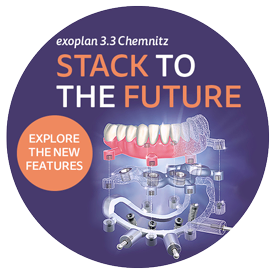
exoplan 3.3 Chemnitz (Build 9762) is now available. exoplan is available exclusively as a rental licence, with a choice of monthly or annual licences. The update is included in every active licence at no extra cost.
The new version primarily enhances the planning of surgical guides for edentulous jaws and immediate restorations, and takes a lot of the work out of implant planning for you.
New in exoplan 3.3 Chemnitz
- Stackable surgical guides*: Guides can now be designed to be tooth-supported, gingiva-supported or bone-supported, including as stacked guides with a fixation guide.
- Bone reduction*: Plan and remove excess or poorly shaped jawbone in a targeted manner, as a basis for bone-supported guides.
- Guide Composer*: automatically suggests the appropriate combination of fixation, bone reduction, surgical guides and prosthetics. All levels can still be adjusted manually.
- Place implants with a single click: place all implants at once, align them in parallel or in a mirrored configuration, using All-on-X templates for full-arch restorations.
- Segmentation with a single click: separates the jawbone and teeth from the CBCT scan and generates a detailed 3D model from this, which can be manually refined if required.
- Automatic alignment of CBCT and scan: Intraoral or laboratory scans and DICOM data are automatically aligned with one another. The computer requires an internet connection for this.
- Gingival surface from the prosthesis: automatically derived from the CBCT and prosthesis scan, without the need for an intraoral scan or impression. Ideal for immediate loading.
- Windows in the sleeve mount*: automatically selected from the library or freely defined, for better visibility, drill access and cooling.
- Further improvements: more detailed implant and surgical reports with anchor pins, faster tooth arrangement with Instant Anatomic Morphing, a neutral placeholder implant library and a search bar for all functions.
* The Guide Creator module is required for functions related to surgical guides.
Performing the update
We would be happy to carry out the update for you via remote support. You can also book a system check-up (subject to a charge): we will then check your computer hardware and update the existing drivers.
Editing or moving databases is a chargeable service and will be billed at our support hourly rate. Please ensure that a complete and up-to-date backup of your system is available before the update.
Book your update appointment online now: Book your update appointment
Important: exoplan 3.3 requires Windows 11. exocad software is no longer supported on Windows 10. Please update your operating system before proceeding with the update.
Or download and install it yourself:
- Download exoplan 3.3 Chemnitz (7-Zip archive, approx. 3.7 GB)
- Download exocad Framework 2026
- Release Notes for exoplan 3.3 (PDF, English)
System requirements for exoplan
Recommended hardware configuration:
- CPU: Intel Core i7-9700K / AMD Ryzen 7 2700X
- RAM: 16 GB DDR4 non-ECC
- Graphics: Nvidia RTX 2060 (6 GB GDDR6) / AMD Radeon RX 5600 XT (6 GB GDDR6)
- Screen resolution: WQHD (2560x1440), recommended: UHD (3840x2160)
- Power supply: 750+ watts
Minimum hardware configuration:
- CPU: Quad-core at 2.8 GHz
- RAM: 8 GB
- Graphics: Dedicated Nvidia or AMD Radeon graphics card with at least 2 GB of video RAM, OpenGL 4, DirectX 11.1, Shader Model 5 and a graphics driver from August 2017 or later
- Screen resolution: 1080p (1920x1080) at 100 per cent DPI scaling. A higher resolution is required for higher scaling.
- Power supply: 450 watts
Operating system and .NET:
- Microsoft Windows 11, 64-bit, with the latest .NET Framework version supplied with Windows. Windows 10 is no longer officially supported, as Microsoft has ended support for it.
- Internet access and an account on the my.exocad portal: The licence is verified online. After 7 days without an internet connection, you will need to log in again.