This website uses cookies, which are necessary for the technical operation of the website and are always set. Other cookies, which increase the comfort when using this website, are used for direct advertising or to facilitate interaction with other websites and social networks, are only set with your consent.
Configuration
Technically required
These cookies are necessary for the basic functions of the shop.
"Allow all cookies" cookie
"Decline all cookies" cookie
CSRF token
Cookie preferences
Currency change
Customer recognition
Customer-specific caching
Dia Chat-Assistent
Individual prices
Live-Chat (3CX)
PayPal payments
Selected shop
Session
Comfort functions
These cookies are used to make the shopping experience even more appealing, for example for the recognition of the visitor.
Note
Statistics & Tracking
Affiliate program
Conversion and usertracking via Google Tag Manager
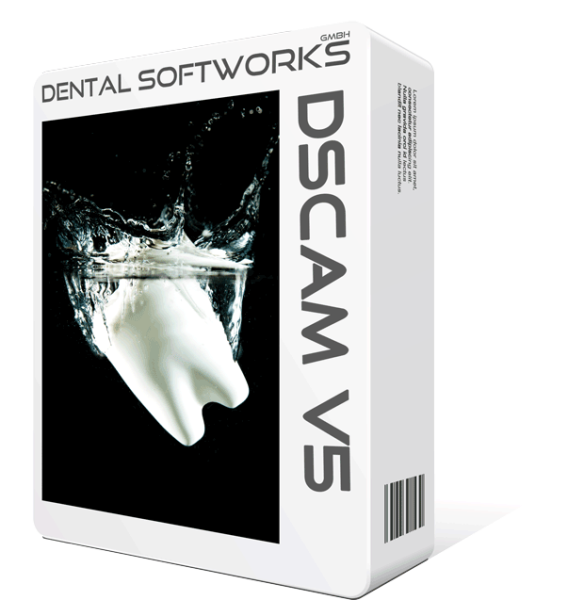
Product information "Dental Softworks DS CAM V5 Licence"
Dental Softworks DS CAM V5 Licence
The full version of DS CAM V5 is Dental Softworks’ CAM software for dental laboratories and milling centres. It is specifically tailored to the 5-axis control systems of the supported machines and handles the entire process from CAD design to the finished milling file: import, nesting, connectors, toolpath calculation and machine output.
Version 5 introduces a new home screen in the form of a dashboard displaying active jobs, blanks and holders, a navigation bar with integrated work windows, a job search function with export capability, and revised strategy dialogues. The wet grinding, Preform and 5-axis simultaneous modules are already included in the V5 licence.
Dentoo supplies DS CAM with everything you need for a productive start: consultation and trial phase, installation, training, set-up of machine, tools and materials, and first-level support in day-to-day use.
Scope
Product
DS CAM V5 Full Version, perpetual licence
Machines
Machine licence included; licences can be issued for up to 63 machines
Included
Wet grinding, Preforms and 5-axis simultaneous machining module
Design
with a hardkey dongle or without a dongle (only if a suitable dongle is available)
Updates
free of charge within the V5 major version
Delivery
Customised web installer, activation via dongle
System requirements
Processor
Intel Core i7 or Xeon, at least 4 cores with Hyper-Threading (12–16 cores recommended, up to 24 supported)
Operating system
Windows 10 or 11 Pro, 64-bit
Graphics
Nvidia with at least 2 GB memory (AMD not guaranteed)
You will find the manual, web installer, dongle driver and the list of supported machines in the links below the description. We will send you the password for the web installer after your purchase.
What the free software support covers and what is charged as training or application consulting is set out in our DS CAM support policy.
This website uses cookies, which are necessary for the technical operation of the website and are always set. Other cookies, which increase the usability of this website, serve for direct advertising or simplify interaction with other websites and social networks, will only be used with your consent. More information